Meet  Folder.
One folder in Finder, the Files app and on the web. Every change kept.
1What it is
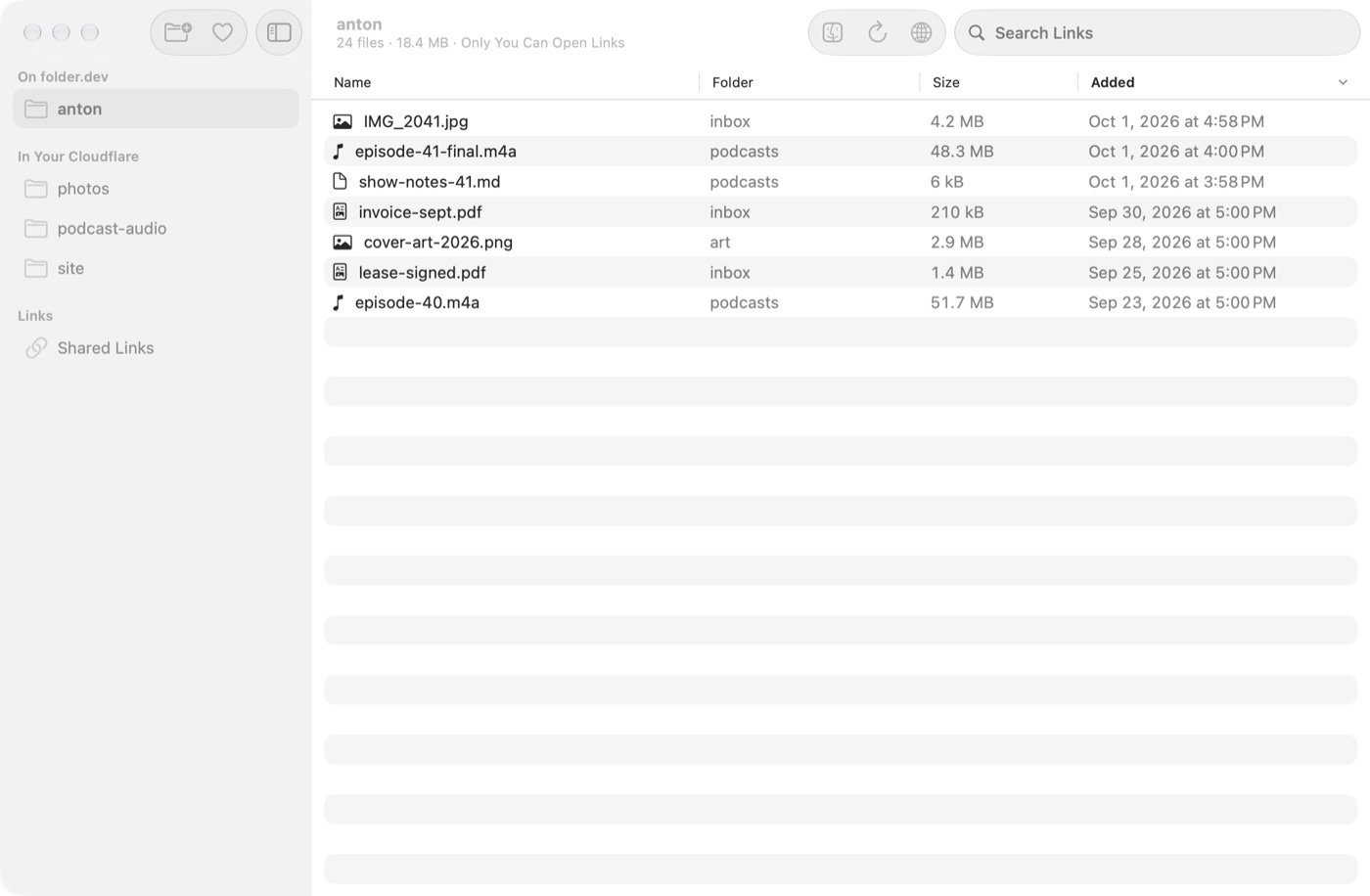
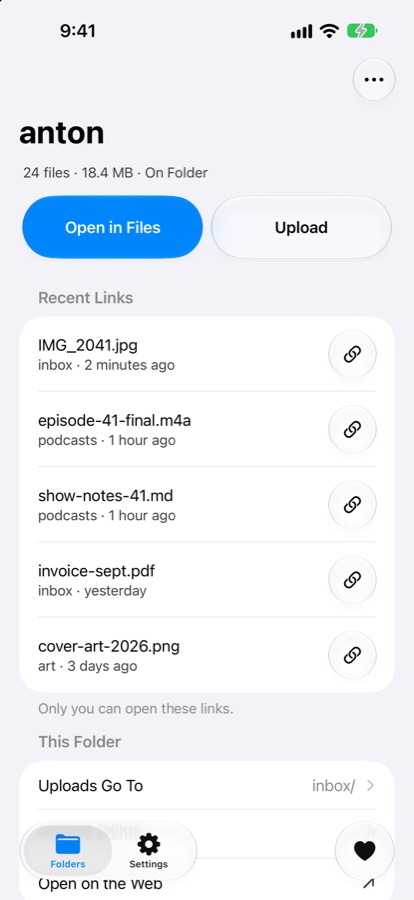
A folder in Finder that is on every device.
It sits in Finder's sidebar under Locations. Drag a file in and it is in the Files app on your iPhone and at folder.dev, the same file, the same name.
2Why it's different
Every overwrite and every delete is kept, so a file you saved over or threw away comes back from Finder or the web. ChatGPT and Claude can work in the folders you pick, and Claude Code's changes can be put back.
5 GB
free, stored in the EU
Every
overwrite and delete kept
0
passwords: Sign in with Apple
3How it works
- 01Get Folder for Mac and sign in with Apple.
- 02Open Folder in Finder's sidebar.
- 03Drag your files in. Done.
4What you get
- one folder in Finder, the Files app and on the web
- every overwrite and delete kept, put back from Finder or the web
- works with

 and Claude Code
 - put back what Claude Code changed in a folder on your Mac
- your Finder tags, on the web too
- open your files in any browser, and soon on iPhone
- no password: sign in with Apple
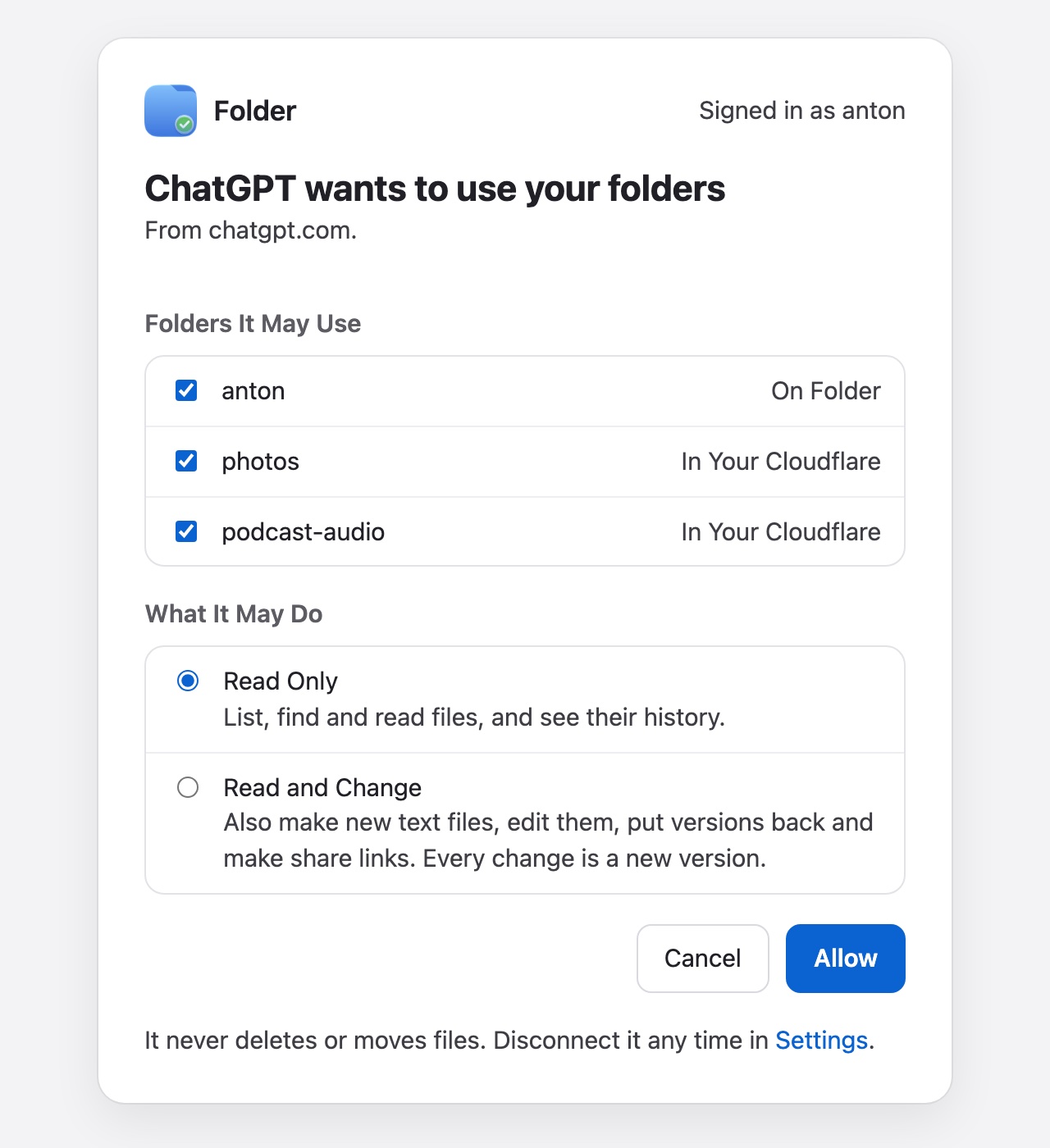
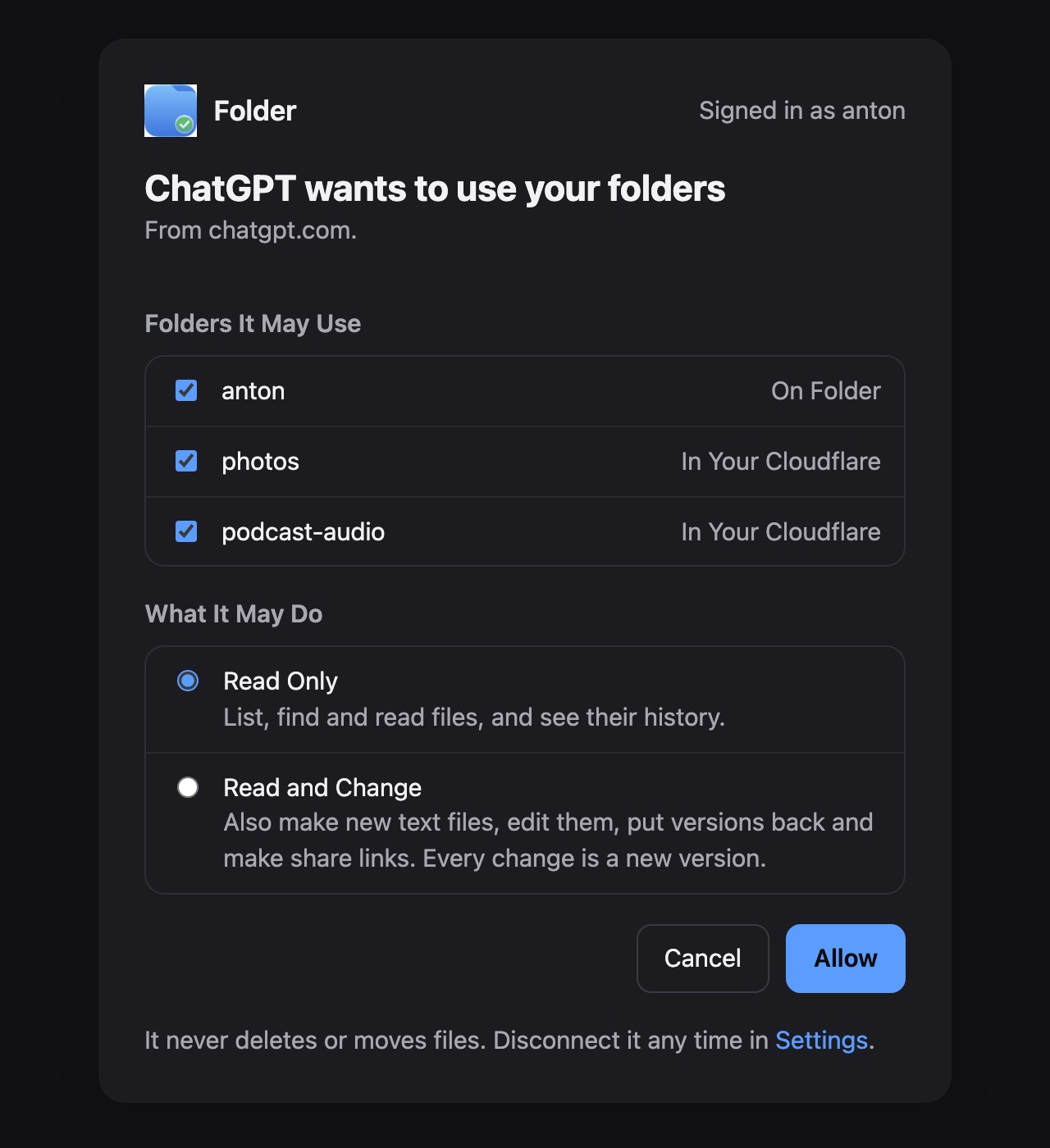
Your Files in ChatGPT and Claude.
Your folders in a chat, only the ones you pick.
- Read Only, or Read and Change
- they find, read and save files there
- every change is a new version you can put back
Sound familiar?
If you keep files in the cloud, you have seen these.
Saved over the good version
The draft from Tuesday is gone, and the copy in the cloud is the same as the one you just broke.
Deleted 31 days ago
Dropbox, Google Drive and iCloud bring a deleted file back for 30 days on their free plans. Day 31 is too late.
An agent rewrote 40 files
Claude Code changed a project overnight, and you want yesterday's back.
Why Folder?
Your files in Finder and on every device, and nothing you saved is ever lost.
| Folder |  iCloud Drive iCloud Drive |  Google Drive Google Drive |  Dropbox Dropbox | |
|---|---|---|---|---|
| In Finder, as a place of its own | ||||
| A deleted file comes back on the free plan | always | 30 days | 30 days | 30 days |
| Every earlier version of a file kept | – | 30 days or 100 | 30 days | |
| Puts back what Claude Code changed | – | – | – | |
| Files in your own Cloudflare, if you want | – | – | – |
As listed on dropbox.com/plans, Google Drive Help and Apple Support in October 2026. How we compared →
Free. No card.
Want the files in your own Cloudflare? Connect your account and pick your R2 buckets: the space is yours, Cloudflare bills you at R2's prices, and the files never pass through us. Your Cloudflare →
Questions, answered.
What is Folder?
One folder in Finder and on the web at folder.dev, and soon in the Files app on iPhone and iPad. Drag a file in and it is on every device, and every overwrite and every delete is kept, so any version comes back. Sign in with Apple and you get 5 GB free.
Where are my files kept?
On Folder, we keep them in our Cloudflare storage in the EU. In your Cloudflare, they stay in your own R2 buckets and never pass through us. A folder on this Mac stays on that Mac, and nothing is uploaded.
How long are old versions kept?
On Folder and in your Cloudflare, every version is kept, deletes too, and comes back from Finder or the web; a restore keeps the version it replaces. In a folder on this Mac, the earlier versions of what a Claude Code session changed are kept for 30 days.
How is it different from iCloud Drive, Dropbox or Google Drive?
On their free plans they bring a deleted file back for 30 days; Folder keeps every overwrite and every delete. ChatGPT and Claude can work in the folders you pick, and a folder can live in your own Cloudflare. Folder is for the Mac and the web: there is no Windows or Linux app.
Does it work on iPhone and iPad?
The iPhone and iPad app is coming soon, with your folders in the Files app. Until then, every folder on Folder or in your Cloudflare opens in any browser at folder.dev.
Can ChatGPT and Claude see my files?
Only the folders you pick. At mcp.folder.dev/connect you tick the folders, choose Read Only or Read and Change, and Allow; they find, read and save files there, and every change is a version you can put back. Disconnect any time in Settings › Connected Apps.
Can I keep files in my own Cloudflare?
Yes. Connect your Cloudflare account and pick your R2 buckets: each one is a folder in Finder and on the web, Cloudflare bills you at R2's price, and the files never pass through us. Share links with a password or an end date, and invites into someone's Finder, work there.
What does it need?
A Mac with macOS 27 or later, and an Apple account to sign in. Your folders open in any browser at folder.dev; there is no Windows or Linux app.
Never lose a file again.
One folder on every device, and every change kept.